Why should technical writers use GitHub to host their portfolio?
If you want to start a career in technical writing, you’ll need to develop a portfolio of writing samples.
One of the most effective platforms for sharing your technical writing portfolio is GitHub. In this article, we’ll discuss why techical writers should create and host their portfolio on GitHub.
Note: This article assumes you are pursuing roles in software or developer-facing documentation.
What is GitHub?
If you’re not familiar with GitHub, it’s a version control platform used primarily by the software developer community. GitHub users create a repository to store project files in a central location. By single sourcing content, multiple people can pull or push updates to a project and merge their contributions seamlessly.
If you’d like to learn more about GitHub, check out their free introductory course.
Now that you know what GitHub is, let’s discuss the ways that technical writers can benefit from using the platform.
Establish a presence in the developer community
Because GitHub is ubiquitous in the software developer community, it’s advantageous to introduce yourself on the platform. The best way to do this is by creating a publicly accessible GitHub profile.
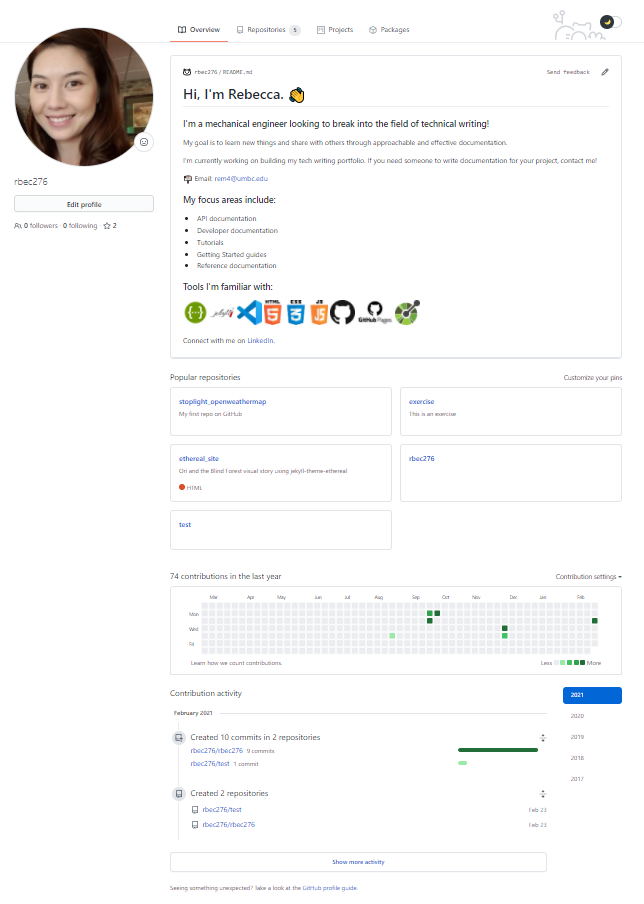
Your GitHub profile contains a bio, a showcase of your pinned projects, a heatmap of your contribution activity, and a record of your most recent updates on the platform. You can also include external links to a writing blog or social media. In this way, a detailed GitHub profile acts as your technical writing portfolio, because it points to all of your technical writing experience.
Unlike a traditional portfolio, your GitHub profile is more than a collection of standalone documents. Instead, it’s dynamic–it demonstrates how you’re actively engaging in the developer community. It highlights not only projects you’ve accomplished in the past, but also projects you’re currently working on and projects you’d like to do next.
Find and collaborate on open source projects
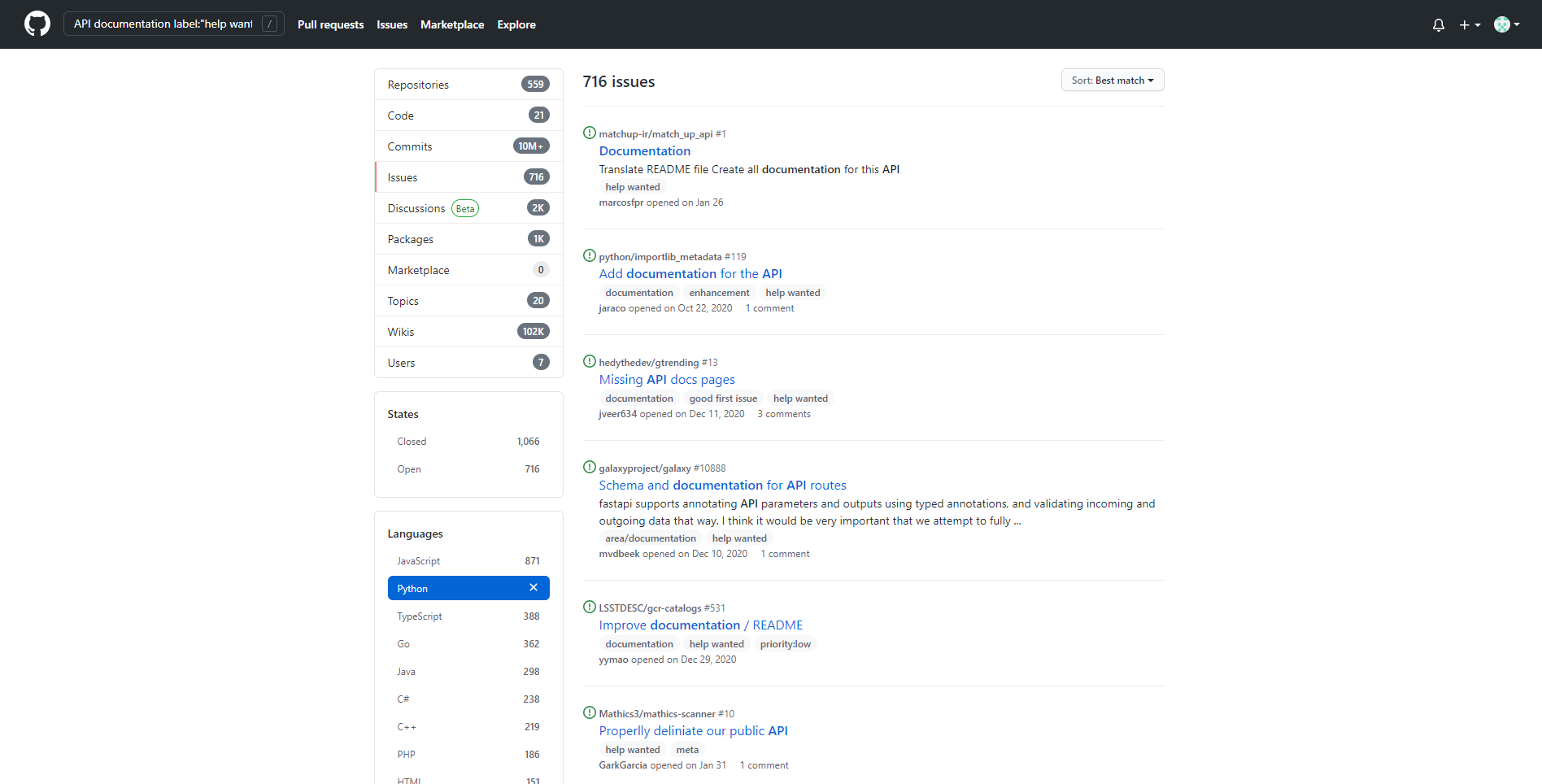
Once you’ve increased your visibility by creating a profile, you can start extending your reach. After all, GitHub is a community of open source projects. If you want to grow your portfolio or gain experience, it’s easy to find new projects using the advanced search page. Simply add search tags to filter results to your particular skillset. For instance, to find API documentation projects, execute a search for API documentation with the label ‘help wanted’.

You can also search for opportunities to challenge yourself in something new. For example, if you want to get comfortable working with a new programming language like Python, you could filter search results by language.
Demonstrate the “Docs as Code” workflow
The Docs as Code workflow is a philosophy that says technical writers should treat documentation in the same way that developers treat code. In other words, technical writers can adopt the same tools and workflow that developers use. By using a common set of tools and workflows, you can streamline efforts and make documentation a cohesive part of every project.
In GitHub, you can practice using developer tools and processes. An example of each is outlined below.
Tools
- Markdown is a human-readable markup language commonly used for developer documentation. It also integrates with GitHub really well. Not only can you publish Markdown source files to your repository, you can also host them on a website using GitHub pages. Demonstrate your use of syntax and versatility with Markdown source files that can be rendered on any static site.
Processes
- Whether you use the GitHub desktop application or git commands in the command line, you’ll follow the same developer workflows. For instance, when you want to propose changes on someone else’s project, you can submit a pull request. GitHub describes this common developer workflow here.
As you can see, there are many benefits to hosting your technical writing portfolio on GitHub. By creating a GitHub profile, you can establish a presence in the developer community, find and contribute to open source projects, and follow common developer workflows. If you’re an aspiring technical writer, consider using GitHub to host your portfolio and continuously share, learn, and interact with the developer community.
Now that you know the benefits of GitHub, read the tutorial to Create your GitHub profile.